
For your tiled sewing patterns
Combine your tiled PDF.
Keep its size layers.
Turn the small A4 or Letter pages in your sewing PDF into one large sheet at the original scale. If a supported file already lets you show one size at a time, that choice stays in your download.
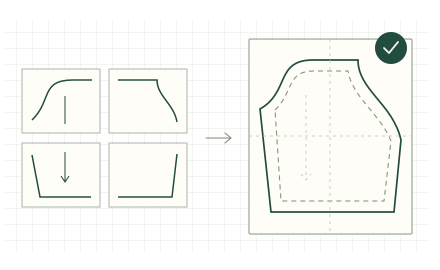
- 1Upload
- 2Arrange
- 3Review & download
01 / Start with your file
Bring your tiled PDF.
Choose the PDF supplied by your pattern designer, not a photo or scan. Have the designer’s page assembly guide ready, and use a file you own or have permission to process. We check file support before you pay.
Preview free. $5 USD to download one stitched PDF. Printing is separate.
02 / Set the layout
Make the pieces line up.
Select left to right, then top to bottom. The green number shows each tile’s position.
03 / Check before you buy
Your pattern, brought together.
These previews come from your stitched PDF.
- Are the pages in the right order?
- Do the lines meet at the joins?
- Does this match your designer’s assembly guide?
Whole-sheet preview. This screen preview does not verify physical print size, every seam, or garment fit.
The right fit
Check your PDF first.
Use the PDF supplied by your pattern designer, not a photo or scan. Have the page assembly guide ready. We check whether your file is supported before you pay.
Follow the step-by-step guide to choose your pages and check the result.
Detailed file requirements
Unlocked vector PDFs with uniform, unrotated pages and standard page boundaries. Select distinct pages in a complete rectangular grid, with equal trim of 0–50 mm on every edge. The finished sheet can be up to 3 metres on either edge.
Scans, image-containing pages, forms, annotations, scripts, unusual page boundaries, and mixed page sizes are not supported. Every uploaded page must pass, including instruction pages.
Existing selectable layers stay in the output PDF. You choose layers later in a PDF viewer that supports them; this tool does not select sizes for you. Compatibility with every designer’s file or layer behavior is not established.
What the proof can tell you
The whole-sheet image shows your assembly; the center detail gives a closer view of the middle. Neither covers every seam or verifies your source pattern’s scale, your printer calibration, or garment fit. Use the designer’s test square before printing or cutting.
Your file stays yours
A short stay, by design.
No account needed. Your private order link gives you access to your proof and, after verified payment, your download.
File retention and privacy
Source PDFs and page thumbnails expire after 24 hours. Unpaid outputs and proofs expire after 24 hours. A pending checkout can extend unpaid retention while its payment status is resolved, so a potentially paid file is not deleted.
Paid outputs and proofs expire 7 days after payment verification. Save your PDF before that deadline. Payment bookkeeping records remain after files expire.
We keep daily totals of page requests, upload results, proofs, checkouts, verified payments and download responses to find problems with the service. These totals contain no names, filenames, PDF contents, private order links or IP addresses.
An optional referral code in your link helps us count paid orders by source. We keep a recognized code with your upload, order and Stripe payment records; links without one are recorded as direct. We do not use cookies or browser storage for referral codes.
No analytics cookies or third-party scripts run on this page. Private order links are not sent as referrers. Card and bank details go directly to Stripe during hosted checkout.
What you receive for $5
One stitched PDF for the layout you review, retaining original scale and existing selectable layers for supported files. Reviewing the proof is free. Your download is ready after payment is verified.
For download or payment problems, email support@thaliabloom.com with your order date.